JotForm
Integrate Kalumma with JotForm for advanced data collection.
Schermafbeeldingen


Beschrijving
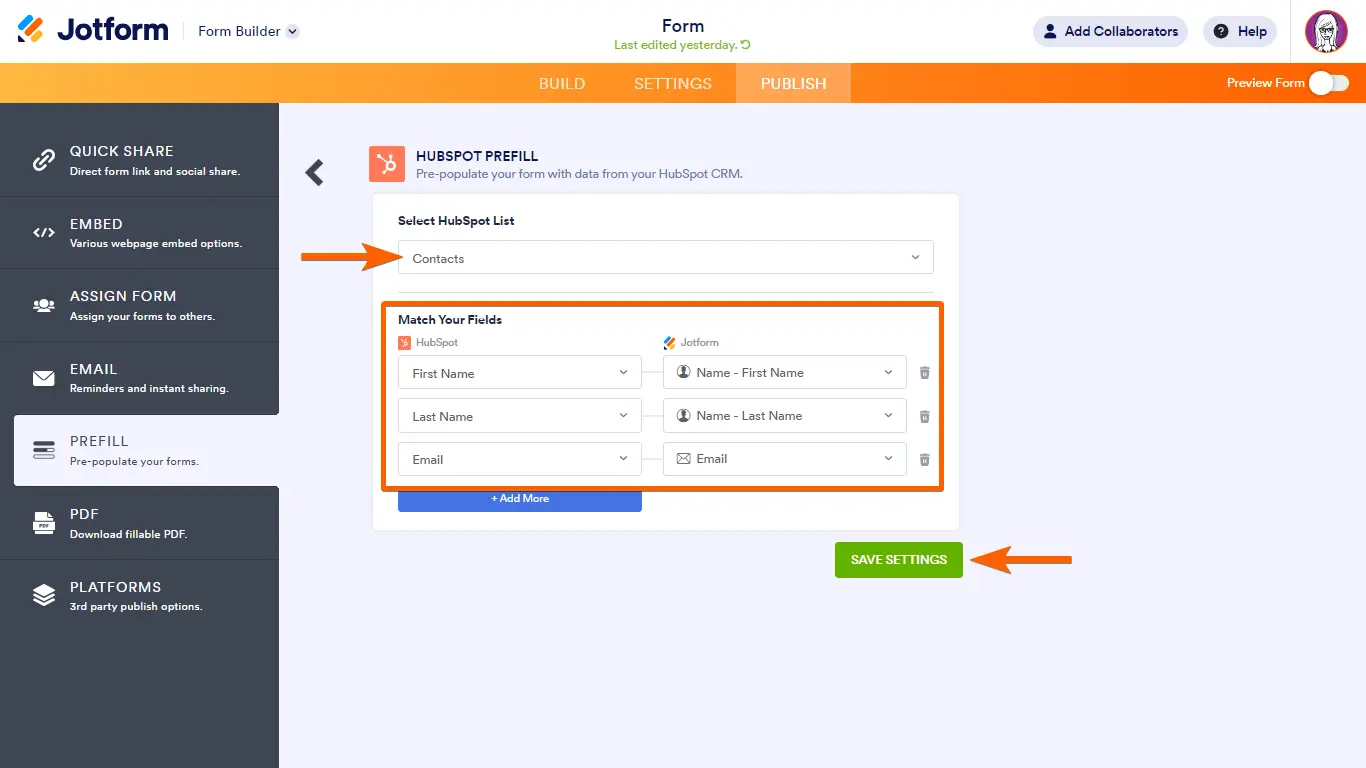
Connect JotForm to Kalumma to bring form submissions directly into your workflows. New responses flow into Kalumma automatically, so intake, requests, and sign-ups are captured without manual re-entry. Map form fields to the records your team already works with, and keep submission data in sync as it comes in. Setup is guided, so most teams can connect their forms and start routing responses without engineering help.
Voordelen
Handmatige herinvoer is niet mogelijk.
De inzendingen worden gestructureerd aangeleverd, waardoor uw team geen gegevens meer hoeft te kopiëren tussen verschillende tools.

Snellere reactietijden
Doorgestuurde inzendingen bereiken de juiste persoon sneller, waardoor de doorlooptijd wordt verkort.

Gegevens over de inname van schonere lucht
Door consistente veldtoewijzing blijven binnenkomende gegevens overzichtelijk en betrouwbaar.
Getuigenissen
"Formulierreacties bleven voorheen in een inbox staan. Nu komen ze terecht waar het team daadwerkelijk werkt, en zijn ze al doorgestuurd naar de juiste persoon."

Operations lead
Dienstverlenend bedrijf voor het middensegment
"Door velden in kaart te brengen, hoefden we geen intakegegevens meer opnieuw in te voeren. De tijdsbesparing liep snel op."

RevOps manager
B2B SaaS
Kenmerken
Automatic submission sync
New JotForm responses flow into Kalumma as they're submitted, no manual export.

Field mapping
Map form fields to your Kalumma records so submissions land as structured, usable data.

Response routing
Route incoming submissions to the right owner or workflow based on rules you set.
How it Works
Once connected, Kalumma listens for new JotForm submissions and brings them in as structured records. You choose which forms to include and map their fields to the data your team uses, so a submission becomes something actionable rather than a standalone entry. Updates flow in as they happen, keeping Kalumma current without manual exports. Teams that want more control can use the connection to trigger downstream steps — routing a request, notifying an owner, or updating a related record. Configuration is handled through a guided setup with documentation at each step, so you can connect forms, map fields, and choose how responses are handled without writing code.
Integratie Diagrammen
Gegevens
Dossier
Dossier
Contact
Contact
Statusupdate
Statusupdate


Gegevens
Formulierinzending
Formulierinzending
Respondent
Respondent
Inzendingsevenement
Inzendingsevenement
FAQ
Je kiest tijdens de installatie welke JotForm formulieren je wilt gebruiken; je kunt later formulieren toevoegen of verwijderen.
Nee. De installatie wordt begeleid met stapsgewijze documentatie; de meeste teams koppelen formulieren en wijzen velden toe zonder hulp van een technicus.
Nieuwe gegevens worden automatisch in Kalumma ingevoerd zodra ze binnenkomen, waardoor de gegevens actueel blijven zonder handmatige export.
Ja. U kunt binnenkomende inzendingen doorsturen naar de juiste eigenaar of workflow met behulp van door u gedefinieerde regels.
Tijdens de installatie kunt u kiezen of u eerdere inzendingen wilt importeren of dat u vanaf het moment van verbinding automatisch wilt synchroniseren.